

Are you a dedicated Fortnite player looking to maximize your in-game rewards while enjoying exclusive monthly perks? The Fortnite subscription model—known as Fortnite Crew—is Epic Games’ premium offering tailored for gamers who want more than just the standard Battle Pass. But is this monthly membership worth it, and how does it work?
This comprehensive guide explains everything you need to know about the Fortnite subscription: from cost breakdowns and included benefits to how you can cancel or manage it easily. Whether you’re a new player or a seasoned Battle Royale veteran, this breakdown will help you decide if Fortnite Crew is the right choice for your playstyle and budget.
For players who enjoy experimenting with custom creations, diving into Unreal Fortnite Creative Mode is another way to expand the game’s possibilities, complementing what you gain through the subscription.
What Is the Fortnite Crew Subscription?
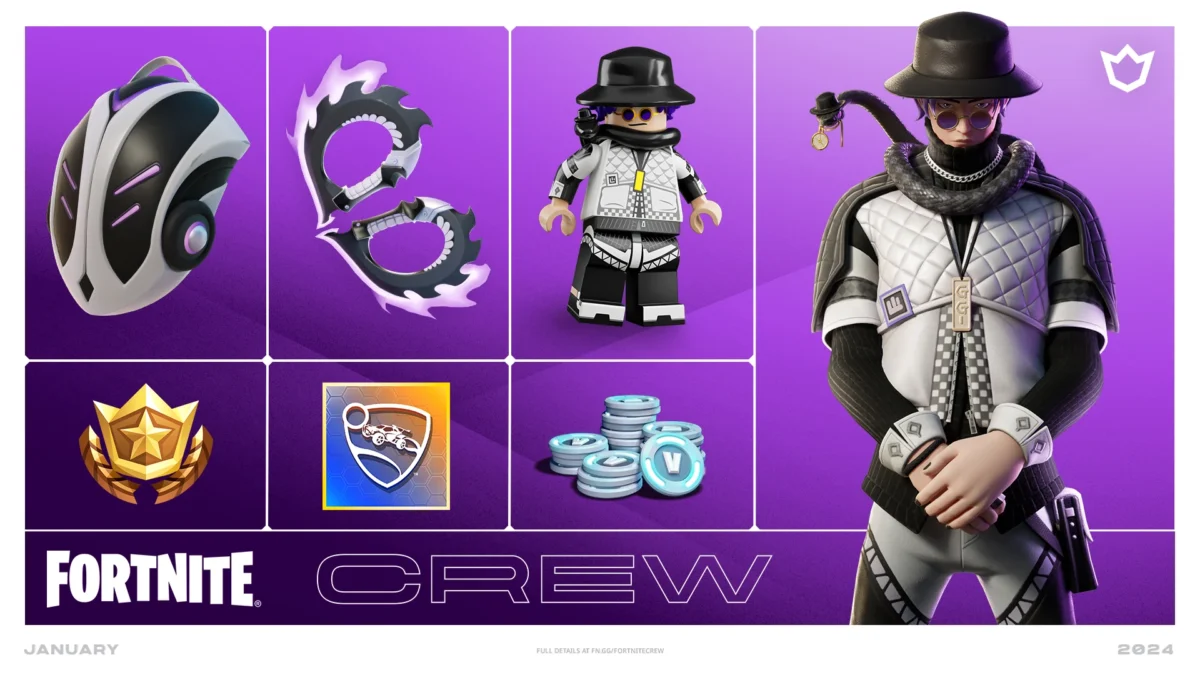
At its core, Fortnite Crew is a monthly subscription service designed to offer enhanced value to Fortnite players. It combines the essential components most users already pay for—like the Battle Pass and V-Bucks—while adding exclusive monthly cosmetic items that are otherwise unavailable.
What is a Fortnite subscription?
The Fortnite subscription, officially known as Fortnite Crew, is Epic Games’ recurring monthly plan that bundles several premium features. It’s intended for users who play frequently and want guaranteed access to rewards, plus unique items only offered through this plan.
If you’re wondering how ExitLag fits into this, the answer lies in performance optimization. Players on the Fortnite Crew plan often compete at a higher level and want smoother, lag-free gameplay. That’s where ExitLag comes in—by stabilizing your network, it helps ensure that all those cosmetic rewards don’t go to waste in laggy matches.
What’s Included in a Fortnite Subscription?
The Fortnite Crew subscription delivers a wide array of benefits every month. From premium currency (V-Bucks) to limited-edition skins, subscribers gain access to items unavailable through the regular in-game store.
Beyond the cosmetics, Fortnite often introduces special events and crossovers. For example, features like the Fortnite Remix updates bring fresh mechanics and collaborations that keep the game exciting, giving subscribers even more reasons to stay engaged.
- Battle Pass Access
- 1,000 Monthly V-Bucks
- Exclusive Monthly Crew Pack
- Legacy or Bonus Styles Over Time
Supported Platforms for Fortnite Crew
You can subscribe to Fortnite Crew on:
- PC (Epic Games Launcher)
- Xbox Series X/S, Xbox One
- PlayStation 5, PlayStation 4
- Nintendo Switch
- Android (Epic Games App)
What Is the Fortnite Subscription Cost & Is It Worth It?
Understanding the cost is key to deciding whether a monthly Fortnite subscription makes sense for your budget and play frequency.
How much is Fortnite subscription?
Prices vary by region and platform, but generally, the plan costs $11.99 USD per month, billed automatically through your account.
Fortnite Subscription Price by Region (2025)
| Region | Monthly Price |
| United States | $11.99 USD |
| United Kingdom | £9.99 GBP |
| European Union | €11.99 EUR |
| Brazil | R$38.00 BRL |
| Australia | $15.99 AUD |
Is the Fortnite Subscription Worth It?
Let’s weigh the pros and cons:
Advantages
- Cost-effective: Cheaper than buying the Battle Pass + V-Bucks separately.
- Exclusive Skins: Access to rare cosmetic packs like the latest fortnite subscription skin.
- Ease of Use: Everything auto-renews and drops monthly.
Disadvantages
- Ongoing Cost: Monthly fee can add up over time.
- Cosmetics Only: No gameplay advantages.
- Manual Cancellation Required
Nostalgia also plays a role in keeping the subscription appealing. Many players continue subscribing partly to access or complement collections tied to classics like the Fortnite OG nostalgia skins, which remain some of the most beloved cosmetics.
How Does the Fortnite Subscription Work?
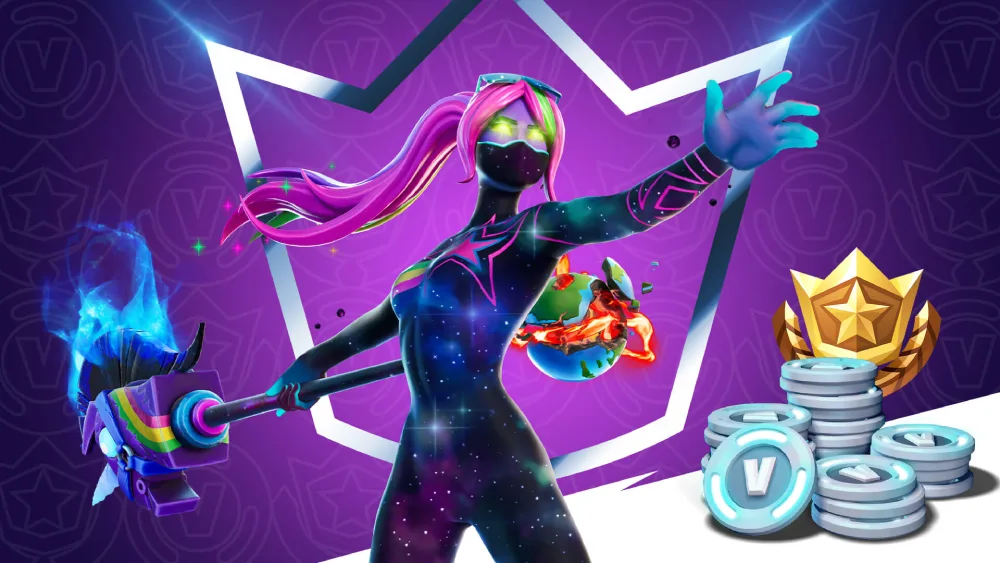
The Fortnite Crew model is designed to make your experience smoother, more rewarding, and easier to manage—without needing multiple transactions every season.
Step-by-Step: How Fortnite Subscription Works
- Sign Up via your platform store or Epic Games launcher.
- Get the Battle Pass for the current season instantly.
- Receive 1,000 V-Bucks each month.
- Unlock Crew Pack with exclusive skins and cosmetics.
- Renew or Cancel Anytime through your Epic account settings.
You can check the official Fortnite Crew subscription page to confirm availability and learn more about current Crew Pack highlights directly from Epic.
What Happens When Rewards Are Delivered?
Each month (typically on the 1st), you’ll receive:
- Battle Pass (if not already owned)
- 1,000 V-Bucks (auto-credited)
- Crew Pack (exclusive to subscribers)
These benefits drop even if your subscription renews mid-season. You keep all rewards permanently, even after canceling.
Fortnite Crew vs. Standalone Purchases: Value Breakdown
To help visualize the financial benefits, here’s a comparison:
| Feature | Fortnite Crew | Standalone Purchase |
| Battle Pass | ✅ Included | ❌ ~$9.50 (950 V-Bucks) |
| 1,000 V-Bucks | ✅ Included | ❌ ~$8.00 |
| Exclusive Skins | ✅ Yes | ❌ Not available separately |
| Total Monthly Value | ~$17.50 | You Pay ~$11.99 |
How to Cancel Fortnite Subscription?
Canceling your Fortnite subscription is simple, but the process varies depending on the platform you’re using. Whether you’re on PC, Xbox, or PlayStation, here’s exactly how to do it so you don’t miss a step—or get charged unintentionally.
How to Cancel on PC (Epic Games Launcher)
- Open the Epic Games Launcher and log into your account.
- Click your profile icon (bottom-left corner).
- Select “Manage Account” – this opens a browser tab.
- Under the Subscriptions tab, find Fortnite Crew.
- Click “Cancel Subscription” and confirm.
You’ll still keep any V-Bucks and cosmetic items received up to the current billing cycle.
How to Cancel on PlayStation
- Go to the Settings menu on your PS4 or PS5.
- Select Users and Accounts > Payment and Subscriptions.
- Click Subscriptions.
- Locate Fortnite Crew and select “Cancel Subscription.”
PlayStation will notify you when your access ends.
How Do I Cancel My Fortnite Crew Subscription on Xbox?
Canceling your Fortnite Crew on Xbox is done through your Microsoft account.
Step-by-Step: Xbox Console
- Open the Guide and go to Profile & System > Settings.
- Choose Account > Subscriptions.
- Select Fortnite Crew and press “Cancel Subscription.”
Step-by-Step: Microsoft Website
- Visit account.microsoft.com.
- Navigate to Services & Subscriptions.
- Locate Fortnite Crew.
- Click Manage > Cancel.
Your benefits continue until the end of the billing cycle.
Where Can I Manage My Fortnite Subscription?

Managing your Fortnite subscription is key to updating payment methods, verifying billing history, or switching platforms. This is all handled through the account used to purchase the plan, not directly in the game.
How to Manage Your Subscription
- Epic Games:
Log in at epicgames.com/account, go to Subscriptions, and manage all Fortnite Crew settings. - PlayStation:
Go to Settings > Users & Accounts > Subscriptions to modify or update. - Xbox:
Access your subscription via Settings > Account > Subscriptions or through your Microsoft account online. - Switch/Android:
Use your respective store (e.g., Nintendo eShop or Google Play Subscriptions panel).
For those who prefer browsing options outside of the game client, Epic also lists all active offers in the Fortnite Crew store page, which makes it simple to manage or purchase from your Epic Store profile.
Can I Pause My Fortnite Subscription?
No. Epic Games does not currently allow pausing a subscription. You must cancel and resubscribe manually.
How to Reduce Lag While Playing Fortnite Crew
Even with exclusive skins and rewards, a laggy game ruins the experience. Here’s how to optimize your connection and gameplay performance while subscribed to Fortnite Crew.
Use ExitLag to Eliminate Lag
ExitLag is a performance tool built for competitive online games like Fortnite. It stabilizes your internet routes, lowers ping, and prevents packet loss.
Core features:
- Real-Time Route Optimization: Routes traffic through the fastest available paths.
- Multiple Server Paths: Ensures redundancy in case one connection fails.
- FPS Boost: Optimizes system resources to improve game performance.
- Multi-Internet Support: Automatically switches to backup internet if one drops.
Whether you’re pushing ranked or just showing off your fortnite subscription skin, ExitLag gives you smoother gameplay.
Additional Tips to Reduce Lag
- Use Ethernet over Wi-Fi for lower latency.
- Close background apps consuming CPU or bandwidth.
- Keep drivers and Fortnite updated for performance patches.
- Lower graphics settings if you’re on a mid-range system.
- Disable Windows Game DVR and overlays that add latency.
Is Fortnite Subscription Worth It in 2025?

Here’s a quick breakdown to help you decide:
Pros
- Cheaper than buying Battle Pass + V-Bucks individually.
- Unique cosmetics you can’t find anywhere else.
- Automatically delivered rewards every month.
Cons
- Ongoing cost, even during months you don’t play.
- No gameplay advantage—cosmetics are visual only.
- Manual cancellation required, no pause feature.
Final Verdict: If you’re a frequent player and enjoy cosmetics, the fortnite subscription is absolutely worth it. If you’re a casual user, consider subscribing only during seasons where the rewards truly excite you.
FAQ: Fortnite Subscription Questions Answered
Go to your platform’s subscriptions management section.
Find Fortnite Crew.
Select Cancel Subscription.
You’ll retain all items earned up to that month.
Press Xbox button > Profile & System > Settings > Account > Subscriptions.
Find Fortnite Crew and choose Cancel.
Or go to account.microsoft.com > Services & Subscriptions.
Open Settings > Users and Accounts > Subscriptions.
Locate Fortnite Crew.
Select Cancel.
$11.99 USD/month, though it varies by country.
Includes Battle Pass, 1,000 V-Bucks, and exclusive Crew Pack.
On your platform’s billing portal.
On Epic’s website: epicgames.com/account
Conclusion: Fortnite Subscription + ExitLag = Competitive Edge
The fortnite subscription offers major value for active players—monthly V-Bucks, exclusive cosmetics, and full Battle Pass access. But to truly maximize those benefits, you need a stable, high-performance connection.
That’s where ExitLag becomes essential. Whether you’re trying to climb the ranks or simply want your shiny new outfit to load properly without frame drops, ExitLag guarantees the smoothest path to Fortnite greatness.
Choose a plan and power up your Fortnite Crew experience today with ExitLag.
Got questions or want to connect with other players? Join the conversation at the ExitLag Forum!



