Transitioning from Valorant to Counter-Strike 2? Then mastering the correct Val sens to CS2 conversion is essential for maintaining consistency in your aim, muscle memory, and competitive edge. FPS players often rely heavily on precision, and having inconsistent sensitivity across titles can drastically affect performance.
For players also managing their skins, inventory, and loadouts across titles, this CS2 stash management guide offers useful tips for keeping your arsenal clean and competitive-ready.
If you’re serious about keeping your aim sharp when moving between Valorant and CS2, this guide walks you through the exact formula, real-world examples, conversion tools, and explains why even “1:1” conversions don’t always feel identical.
What Is Val Sens to CS2?
Val sens to CS2″ refers to the process of converting your Valorant sensitivity setting to Counter-Strike 2 in a way that preserves the same aiming speed and precision. Since both games use different engines and field-of-view (FOV) calculations, the same numeric value will feel different across games—making proper conversion crucial.
How ExitLag Helps with Consistency
Even after converting your sensitivity perfectly, lag, packet loss, and unstable routing can still ruin your experience. ExitLag optimizes your connection to CS2 and Valorant, ensuring low latency and stable input. That’s how you maintain aiming consistency not just in feel—but in performance.
Why Convert Sensitivity Between Valorant and CS2?
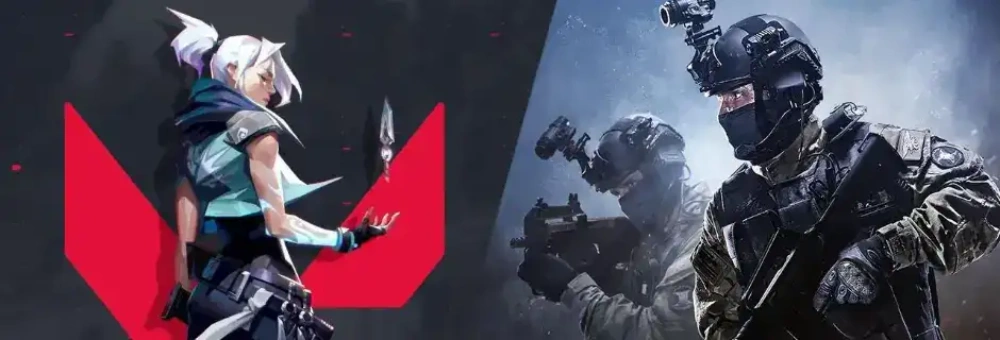
Every FPS player knows how vital consistency is when it comes to crosshair control. If you’ve spent hundreds of hours developing muscle memory in Valorant, jumping into CS2 without converting your sensitivity will instantly feel off.
Why It Matters:
- Performance Consistency: Your flicks, tracking, and spray control all depend on the feel of your mouse.
- Muscle Memory Preservation: Avoid having to re-learn aim behavior when switching games.
- Competitive Readiness: Ranked performance in both games hinges on reliability and responsiveness.
Benefits of Sens Conversion
- Maintain competitive accuracy across both titles
- Prevent frustration caused by missed shots due to misalignment
- Avoid unnecessary warm-up time for each game switch
- Leverage your existing FPS skill set more effectively
Real-World Example
A player with 0.45 sensitivity in Valorant who switches to CS2 without conversion may feel like their crosshair is dragging or overshooting. This is due to different engine FOV and sensitivity multipliers, not a hardware issue.
The Ideal Formula for Valorant to CS2 Sensitivity
Let’s get right into it: the conversion formula is simple, reliable, and widely used by pro players and aim trainers alike.
The Formula
Valorant Sensitivity × 3.18 = CS2 Sensitivity
This multiplier has been verified through aim trainers like KovaaK’s, Mouse-Sensitivity.com, and is accepted across competitive FPS forums.
Example Calculations
| Valorant Sens | × 3.18 | CS2 Equivalent |
| 0.40 | × 3.18 | 1.272 |
| 0.50 | × 3.18 | 1.59 |
| 0.65 | × 3.18 | 2.067 |
| 0.75 | × 3.18 | 2.385 |
| 0.90 | × 3.18 | 2.862 |
You can either use a calculator or an online converter to perform the math.
Conversion of CS2 to Valorant
To go the other direction:
CS2 Sensitivity ÷ 3.18 = Valorant Sensitivity
Let’s say your CS2 sens is 2.0:
- 2.0 ÷ 3.18 = 0.63 in Valorant
This reverse formula is just as useful if you’re going back and forth frequently.
The Best Tools for Val Sens Conversion
Manual math is quick, but for those who prefer a plug-and-play solution, there are several reliable Val sens converters available online.
Top 3 Sensitivity Converters
1. GamingSmart Converter
- Clean interface and straightforward tool.
- Supports Valorant, CS2, and dozens of other FPS titles.
- Fastest for quick conversions.
2. Mouse-Sensitivity.com
- Industry gold standard for mouse settings.
- Allows DPI adjustments, monitor settings, and game-specific inputs.
- Provides FOV-matched conversions for more accuracy.
3. 3D Aim Trainer
- Integrated sensitivity calculator with training maps.
- Syncs with both games for in-app validation.
- Useful for fine-tuning feel after conversion.
Converter Tool Comparison
| Tool | Supports CS2 | Advanced FOV Options | Accuracy Level | UI Simplicity |
| GamingSmart | ✅ | ❌ | High | Very Easy |
| Mouse-Sensitivity | ✅ | ✅ | Very High | Moderate |
| 3D Aim Trainer | ✅ | ✅ | High | Easy |
All three tools are trusted within the FPS community and frequently updated.
Does CS2 Feel Faster Than Valorant?
Even when using the correct Val sens to CS2 formula, many players report that CS2 feels quicker or more sensitive. This perceived speed isn’t a flaw in the conversion—it’s the result of technical and visual differences between the two games.
Once your aim feels right, you might want to monitor your improvement. To do that, this guide on how to track CS2 stats is incredibly helpful for following your progress in real time.
Key Differences That Affect Mouse Feel
- Field of View (FOV)
Valorant locks players at 103 horizontal FOV, while CS2 typically defaults to 90. Because a wider FOV in Valorant makes objects appear smaller and move slower across your screen, switching to CS2’s tighter FOV can make aim feel more sensitive—even when your sensitivity values match mathematically. - Rendering Engine
CS2 runs on Source 2, which delivers smoother animations but uses a different rendering pipeline compared to Valorant’s Unreal Engine 4. Differences in frame timing and how mouse input is interpreted frame-by-frame can lead to slight but noticeable variations in aiming. - Input Latency and Raw Input
Valorant automatically uses raw input and disables mouse acceleration by default. In CS2, these options need to be explicitly configured in the settings or via console commands (m_rawinput 1, m_customaccel 0). If you don’t match these configurations, your aim will feel subtly—but significantly—off. - Aspect Ratio and Resolution Scaling
If you’re using 16:9 in Valorant and 4:3 stretched in CS2, you’ll perceive movement differently. Stretching changes how horizontal movement is scaled, often making CS2 feel “faster” even with matched sensitivities. - Crosshair Scale and UI Perception
A smaller crosshair or higher contrast UI in CS2 may give the illusion of increased speed because your eye is more focused on rapid motion. Psychological perception plays a role.
CS2 Seems Faster Than Valorant?
This is one of the most frequently discussed issues in FPS communities. While the mathematical sensitivity may be matched, engine-specific characteristics, resolution choices, and display latency all play a role in how fast the game feels. Don’t rely solely on numbers—trust your muscle memory and fine-tune in-game.
Want to dig deeper into the conversation? The best CS:GO Reddit communities are great places to explore this topic with other players facing the same challenges.
Tips to Align Feel Between Games
- Use the same monitor refresh rate and resolution in both games
- Match raw input settings and disable acceleration across both
- Practice the converted sens in KovaaK’s or Aim Lab using both profiles
- Use fullscreen exclusive mode for lowest input latency
- Calibrate DPI settings in your mouse software to ensure uniformity
FAQ – Val Sens to CS2 Conversion Explained
To convert your Valorant sens to CS2, use the formula:
Valorant Sens × 3.18 = CS2 Sens
Example: 0.60 × 3.18 = 1.908
Valorant Sens multiplied by 3.18 gives your CS2 Sensitivity.
To reverse it (from CS2 to Valorant), divide the CS2 value by 3.18.
Yes. Numerically, Valorant uses a smaller scale.
In practice, CS2 requires higher numeric values to match equivalent aiming speed due to FOV and engine differences.
The most accurate tools are:
Mouse-Sensitivity.com – best for advanced users
GamingSmart – ideal for quick conversions
3D Aim Trainer – great for testing post-conversion aim
Yes, often. Even with perfect conversion, CS2 may feel quicker due to:
Narrower FOV
Lower input delay
Stretched resolutions
UI and engine differences
Adjust and train accordingly to re-sync your muscle memory.
Final Thoughts on Val Sens to CS2
Transitioning from Valorant to CS2 is exciting—but without converting your Val sens to CS2, you’re resetting your aim muscle memory. Getting your sensitivity right is the first step to being competitive in a new environment. The second step is consistency: hardware, settings, and network stability must work together.
Think of the 3.18 multiplier not as a perfect solution, but as your baseline. From there, adjust slightly based on feel and response in live matches. No formula can fully account for player preference, so testing in practice ranges or DM servers is essential.
Also, recognize that CS2 is still evolving. With Valve continuing to tweak netcode and responsiveness, you may find yourself recalibrating over time.
Stay on top of official developments and downloads directly from the CS2 homepage, where Valve posts news, updates, and client links.
What You Need for Perfect Conversion
- Use the 3.18 multiplier to get your base sensitivity
- Match mouse settings, DPI, and raw input across games
- Choose identical resolutions and refresh rates
- Use aim trainers to adapt gradually
- Install ExitLag to keep your connection stable and latency predictable
ExitLag: Precision Requires Stability
Great aim starts with consistency—and nothing disrupts that faster than input lag, packet loss, or ping spikes. That’s why ExitLag is the trusted choice for FPS players who take performance seriously.
- Optimizes routing between you and CS2/Valorant servers
- Prevents packet loss and jitter during fights
- Improves frame consistency by reducing network stalls
- Plug-and-play setup with zero guesswork
And if you ever want to revisit the roots or switch between CS2 and CS:GO for comparison, the classic CS:GO portal is still live with historical updates, downloads, and community links.
Whether you’re warming up on the range or in the final 1v1, ExitLag makes sure every click counts. Don’t aim blind—aim stable.
Got questions or want to connect with other players? Join the conversation at the ExitLag Forum!